Fix the Broken HubSpot Lead Attribution in 5 mins
Declined cookie consent banners in EU are messing up the Original Source attribution in HubSpot. This guide will help you recover paid attribution in HubSpot with one GTM-tag, three form fields, one HubSpot workflow. 80% of your lost paid attribution can be recovered in 5 minutes. I will show you exactly how.


The Problem
When someone clicks an ad on Google, LinkedIn or Meta they are taken to your website with the UTM-structure intact (both HubSpot and your own).
When they click to another page on your website we lose all the UTM-information, if they haven’t accepted the cookie consent banner. If they submit a form during this session it would be counted as Direct Traffic, not Paid Traffic.
With cookie consent accepted, HubSpot's tracking script preserves the paid attribution across page navigations even after the URL loses the UTMs.
But since you only have around 40-45% cookie acceptance rate, we will miss a lot of attributed traffic from paid.
Why click IDs are important
Click IDs (gclid, fbclid, li_fat_id, msclkid) are the one piece of attribution data that survives every failure mode in HubSpot:
- They unlock Enhanced Conversions (Google) and CAPI (Meta, LinkedIn); server-side, consent-resilient attribution back to the ad platforms.
- They work even when localStorage gets cleared or the visitor declines cookies.
- They survive Safari ITP because the matching happens on the ad platform side, not in the browser.
- They are the one thing that actually moves Paid out of “Direct” in HubSpot reporting.
Step 1: HubSpot Contact Properties
Create three single-line text contact properties:
- gclid (Google Paid)
- fbclid (Meta Paid/Organic)
- li_fat_id (LinkedIn Paid/Organic)
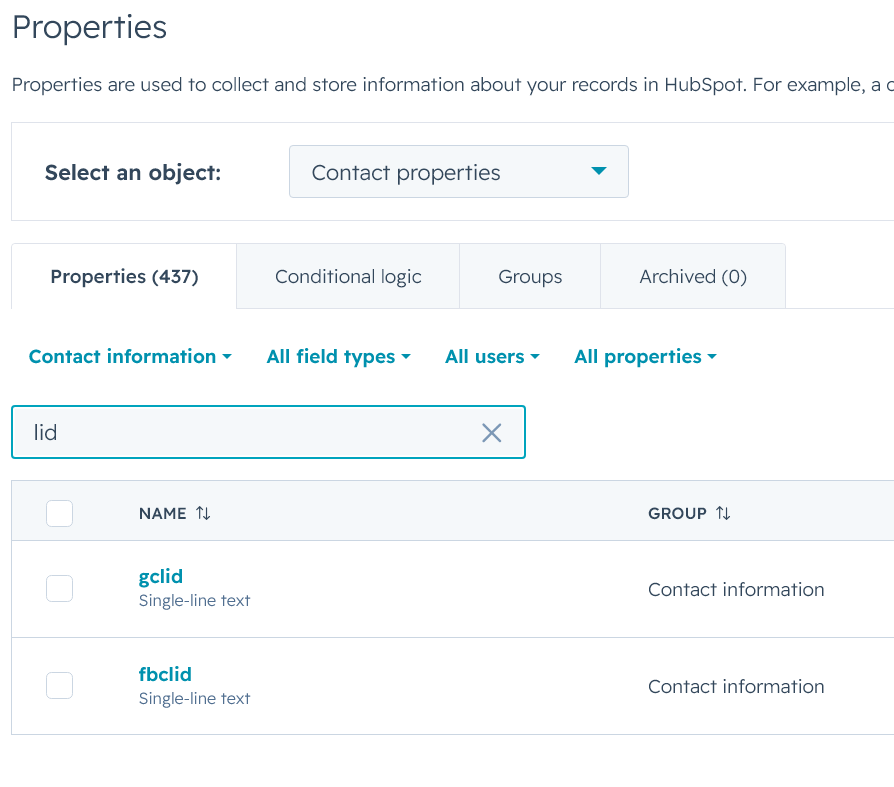
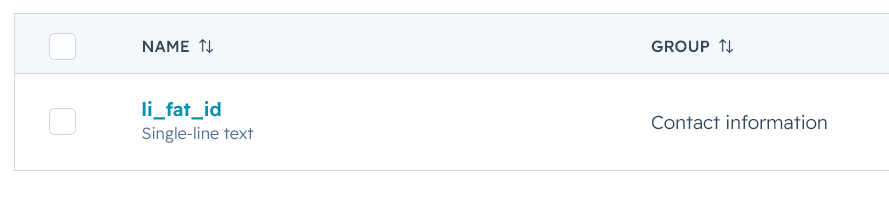
GDPR note. No consent banner integration needed for this snippet. sessionStorage for click IDs is defensible as strictly necessary for conversion measurement under most EU DPAs (it expires when the tab closes and contains no personal data). Verify with your DPO — but it’s a much lower bar than long-window localStorage tracking.
Step 2: HubSpot Hidden Form Fields
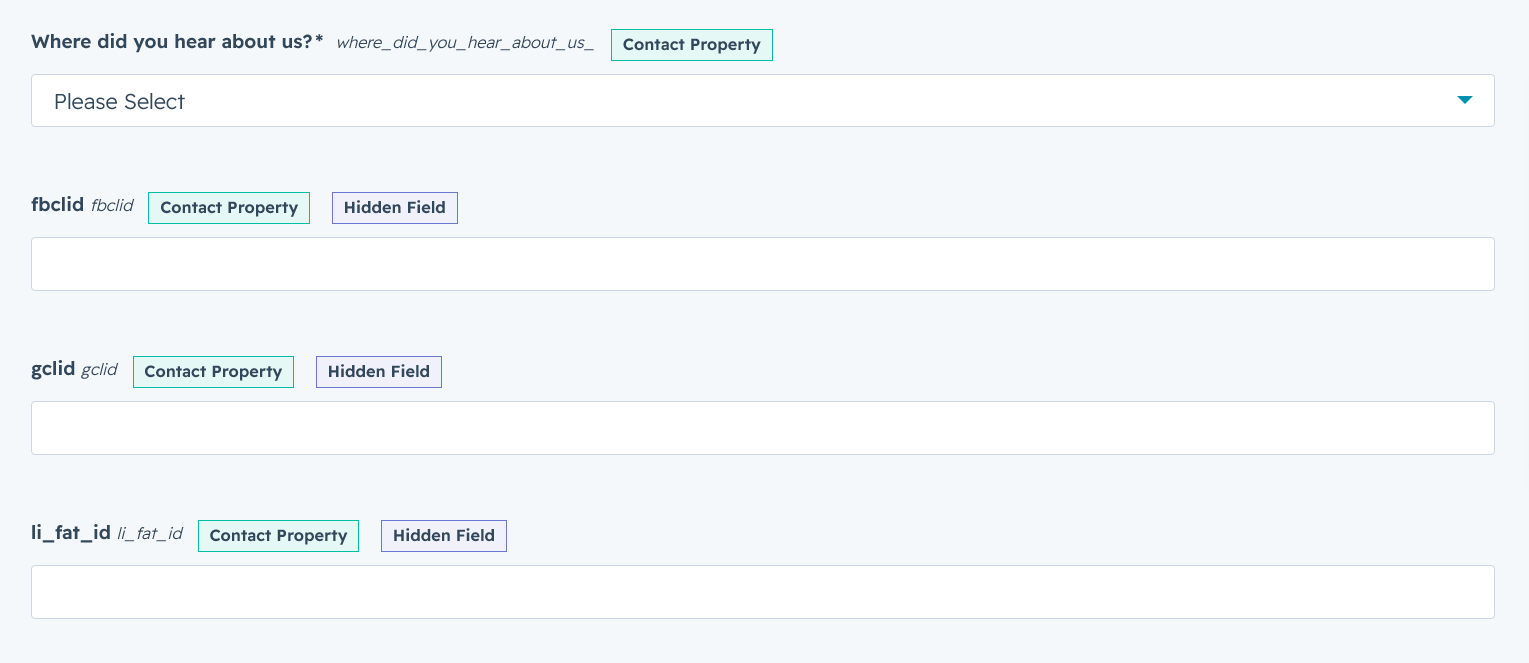
Add all three as hidden fields on every lead-generating form. No default values.
HubSpot already populates: hs_google_click_id, hs_facebook_click_id, hs_linkedin_click_id as Contact Properties set on form submit IF the user accepts cookies, otherwise we get a Direct Traffic lead.
When we store these values manually we can do so WITHOUT cookie consent; using sessionstorage.
It does not recover cross-session returns without consent, no mechanism can, without persistent storage.
Step 3: Google Tag Manager
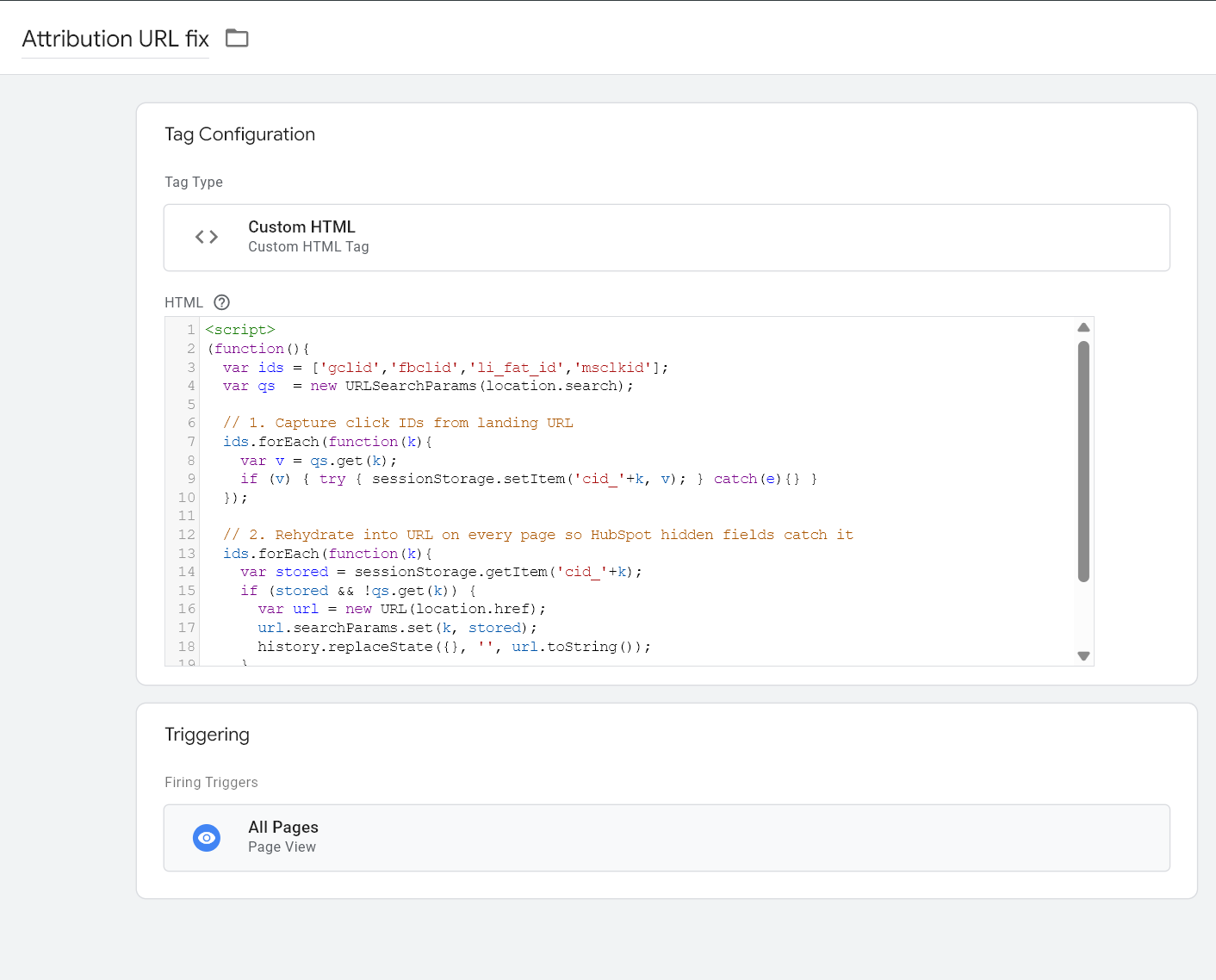
The script reads click IDs from the landing URL and stores them in sessionStorage. On every subsequent page, it rewrites the URL to include the stored click ID; so HubSpot’s hidden-field auto-fill picks it up at form submit, even if the visitor browses three pages before converting.
Create one Custom HTML tag. Trigger: All Pages. Fires once per page load. Paste this:
<script>
(function(){
  var ids = ['gclid','fbclid','li_fat_id','msclkid'];
  var qs  = new URLSearchParams(location.search);

  // 1. Capture click IDs from landing URL
  ids.forEach(function(k){
    var v = qs.get(k);
    if (v) { try { sessionStorage.setItem('cid_'+k, v); } catch(e){} }
  });

  // 2. Rehydrate into URL on every page so HubSpot hidden fields catch it
  ids.forEach(function(k){
    var stored = sessionStorage.getItem('cid_'+k);
    if (stored && !qs.get(k)) {
      var url = new URL(location.href);
      url.searchParams.set(k, stored);
      history.replaceState({}, '', url.toString());
    }
  });
})();
</script>
Step 4: HubSpot workflow
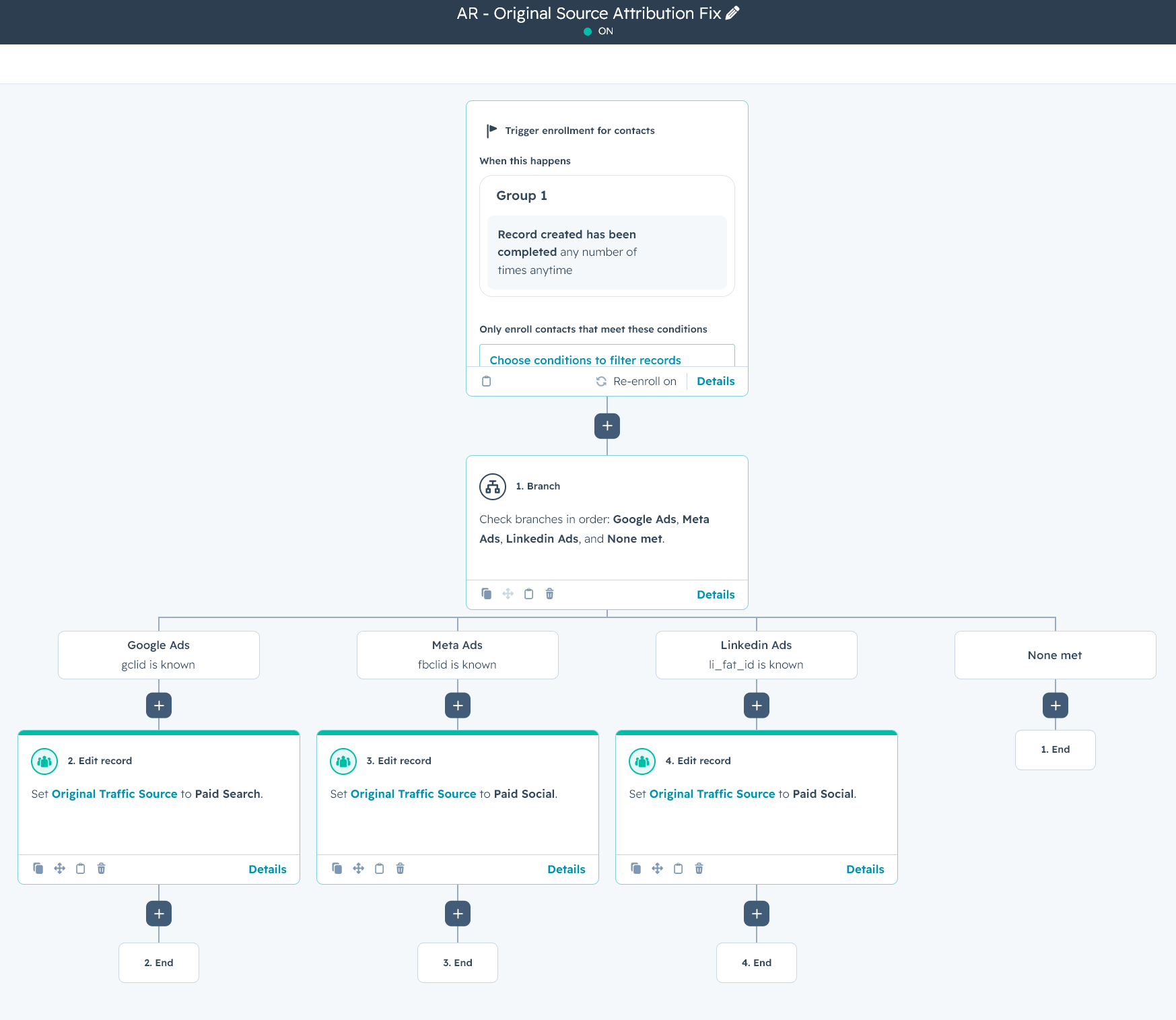
One workflow. Enrolment trigger: Contact created.
Three if-then branches:
- IF gclid is known → set Original Source = Paid Search - Google Ads
- IF fbclid is known + paid signals → set Original Source = Paid Social - Meta Ads
- IF li_fat_id is known + paid signals → set Original Source = Paid Social - LinkedIn Ads
One thing to keep in mind regardin "paid signals"; fbclid (Meta) and li_fat_id (Linkedin) lare click_ids for both organic and paid. Now the relationship between organic and paid clicks are usually 1:10, most companies get 10x more clicks from paid than from organic. But to be totally correct, you should add another layer of "paid signals"-check before you set these two channels to paid, if that is not possibly for you, then it is what it is. Still a lot better than DIrect Traffic as the Original Source.
Step 5: Testing
- Open an incognito window (fresh session, no cookies)
- Navigate to https://domain.com/?gclid=TEST-NOCONSENT-01
- Decline the cookie banner
- Navigate to another page on the website
- Verify URL has ?gclid=TEST-NOCONSENT-01 (script should have rehydrated)
- Submit form with: yournormalemail+noconsent-01@youremaildomain.com
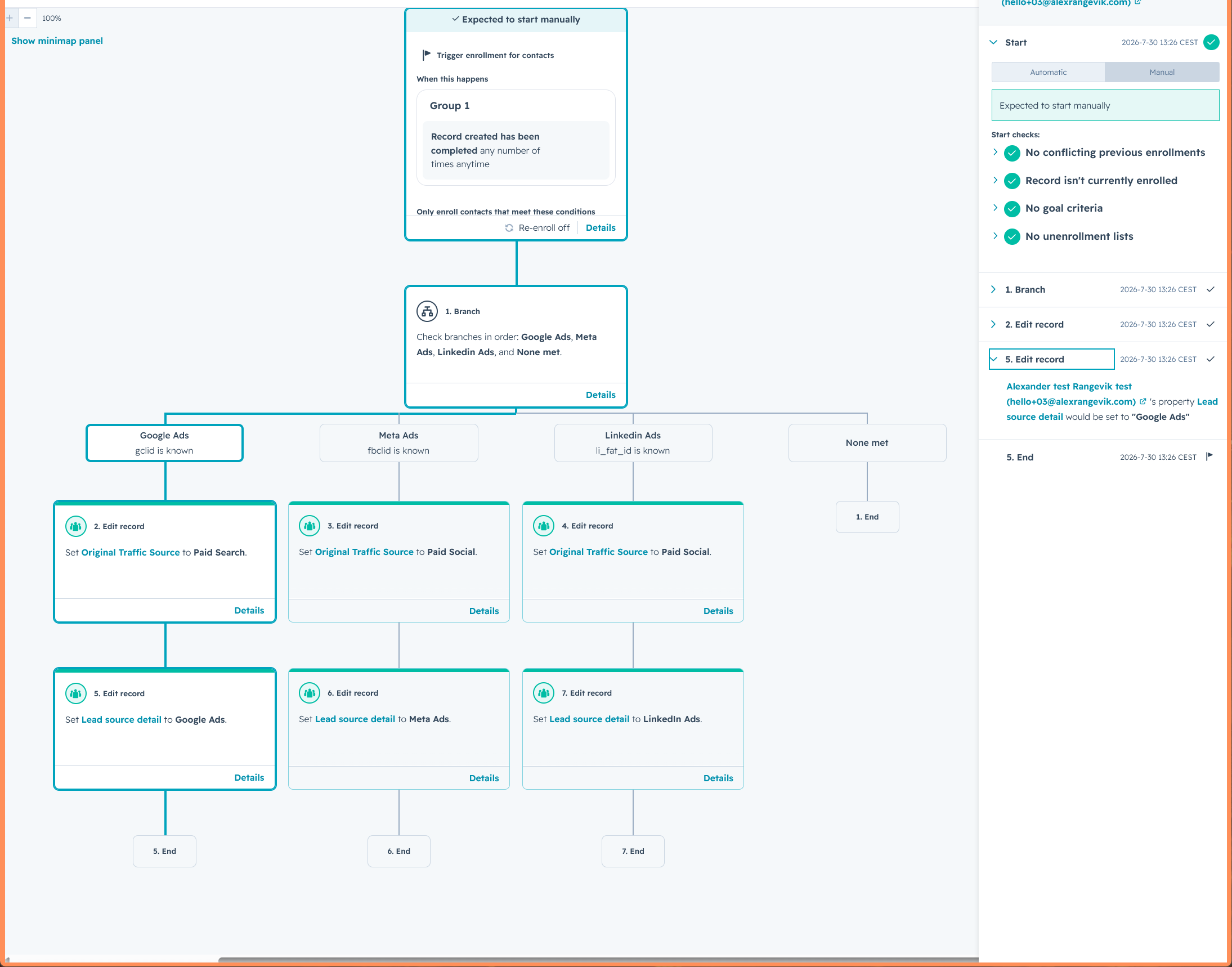
- Test contact record in the Workflow:
- gclid = TEST-NOCONSENT-01 ✅ ← the key thing to verify
- Contact properties set correctly.
Author
I'm a B2B performance marketing consultant based in Sweden. I help Nordic startups and fast-growing companies convert prospects into paying customers through strategy, advertising, conversion-optimized landing pages, and as a fractional CMO.
